1. The Mobile Landing Page Trap: Why Traditional Ads Leak Money
Consider a standard mobile ad workflow:
- User scrolling Instagram taps "Learn More".
- In-app browser takes 3.8 seconds to load an external landing page.
- User is asked to fill out a 6-field lead form (Name, Email, Phone, City, Requirement).
- Drop-off: 72% of clicks bounce without submitting. The marketer pays Meta ₹45 per click with zero lead captured.
2. The 1-Tap CTWA Advantage
With Click-to-WhatsApp ads:
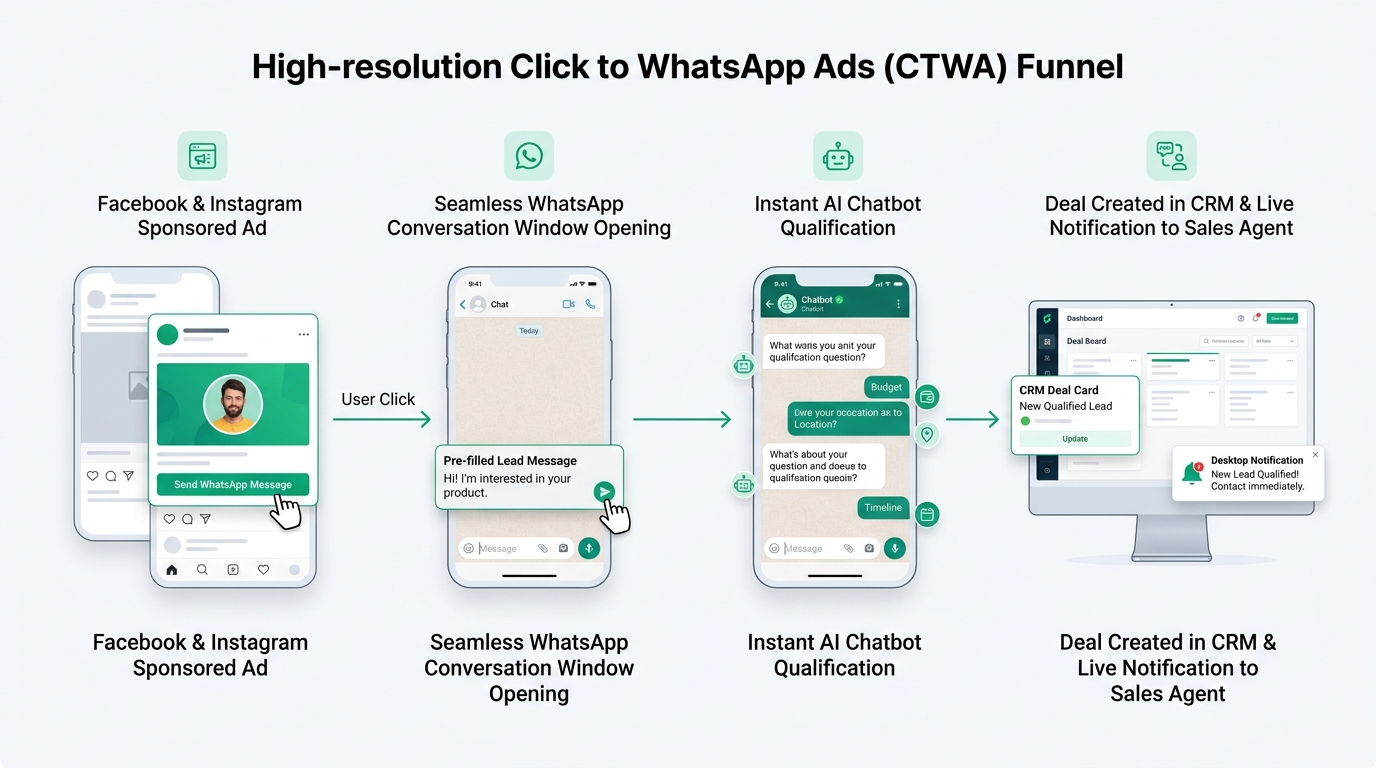
- Zero Loading Latency: Tapping the ad opens WhatsApp natively on the user's phone in under 200 milliseconds.
- Guaranteed Verified Phone Number: No fake or mistyped phone numbers like web lead forms. You immediately capture the customer's actual WhatsApp profile and phone number.
- Free 72-Hour Conversation Window: Meta offers an official incentive: Any conversation initiated from a Click-to-WhatsApp ad has zero Meta conversation fees for 72 hours.
3. Setting Up CTWA Ads in Meta Ads Manager
Follow this configuration in Ads Manager for maximum ROI:
- Campaign Objective: Choose Leads or Engagement.
- Conversion Location: Select Messaging Apps > WhatsApp.
- Select Verified WABA Number: Pick your official phone number connected to Ai Botflow.
- Ad Creative: Use Reels (9:16) video or 1:1 image creatives showcasing a clear reason to chat (e.g. "Get instant price sheet on WhatsApp").
- Pre-Filled Greeting Message: Configure an automated opening prompt: "Hi, I saw your ad on Instagram and would like to see the pricing options."
4. Tracking Campaign IDs, Ad Creatives & UTM Parameters
A major limitation of running WhatsApp ads without an enterprise CRM like Ai Botflow is attribution blindness—you don't know which ad campaign generated which sale.
Ai Botflow automatically captures Meta's encrypted referral payload:
Ai Botflow automatically tags the contact with Ad: Luxury 3BHK and Campaign: Q3_Festive_Promo, allowing your sales team to know the exact creative the customer saw before answering.
5. Autonomous 30-Second AI Lead Qualification
If a prospect clicks an ad at 11:30 PM, waiting until 10:00 AM the next morning for a sales rep to call results in a cold lead.
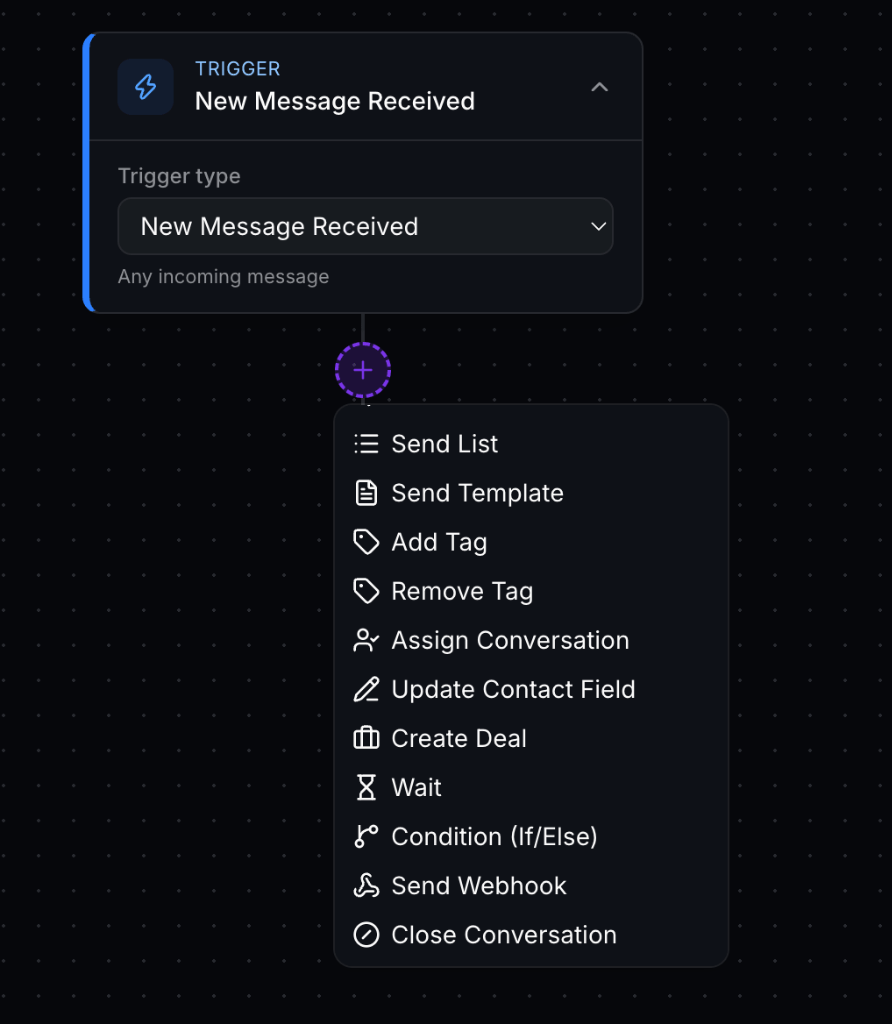
Ai Botflow's AI Agent immediately engages the user within 2 seconds:
- Instant Acknowledgement: "Hi Ananya! Thanks for checking out our Whitefield villas. Are you looking for a 3BHK or 4BHK?"
- Budget Qualification: "Got it! What is your preferred budget range?"
- Brochure Dispatch: Sends PDF floor plans and video walkthroughs directly into the chat.
- Site Visit Scheduling: Captures preferred date and time, syncs with Google Calendar, and assigns the deal to the local sales manager.
6. 5 High-Converting Ad Scripts & CTAs
- Real Estate: "Tap WhatsApp to get instant floor plans, price sheet, and RERA approval docs in 10 seconds."
- EdTech / Coaching: "Chat with our academic counselor on WhatsApp to check batch timings & scholarship eligibility."
- D2C Brands: "Send 'FESTIVE' on WhatsApp to unlock your secret 25% discount code before midnight."
- B2B SaaS: "Chat with our solution architect on WhatsApp for a custom API integration estimate."
7. Frequently Asked Questions
How does Meta's 72-hour free window work?
When a customer clicks your CTWA ad and sends the first message, Meta waives all per-conversation messaging fees for 72 consecutive hours. You can send unlimited free marketing and utility messages within this window.
Can multiple sales agents manage CTWA ad leads simultaneously?
Yes. Ai Botflow routes incoming ad chats automatically to available sales reps using Round-Robin, skill-based routing, or territory assignments in the Shared Team Inbox.